Dropbox as a cloud storage
Published
This article is a bit older and might be outdated.
Using Dropbox as a static data resource for a modern PHP App
We have recently written about why and how to use AWS S3 as a cloud storage for your PHP App, especially for users of our New Apps. Many have a Dropbox account. Now, you can also "misue" your Dropbox to store your Apps uploads and other static assets. The here described work-flow is quirky, we don't really recommend to use it, but we want to share with you what we have learned:
Setup a folder with Dropbox
First, you'll need to setup a public folder with Dropbox. If you don't already have a folder named Public on top level, please create a folder called Public on top level and then click here, to enable it — quirk.
Within the public folder, create a sub-folder for your App, eg my-app

Once you did that, it should look like this:

Switch now into that folder, upload something (eg a random .html file) and copy it's public link:
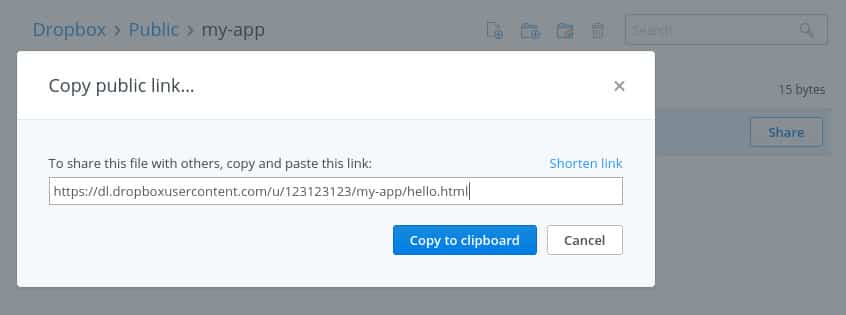
It should look somthing like this:
https://dl.dropboxusercontent.com/u/123123123/my-app/some-file.html
The important part you need to remember is of course
https://dl.dropboxusercontent.com/u/123123123/my-app/
Setup developer credentials for Dropbox
Simplified, Dropbox knows two kind of permissions:
- Access to a dedicated App folder
- Access to everything
Since you must use the Public folder to make your files accessible by everybody, there is no choice but to use access to everything — major quirk.
If you're logged in, just go to the App create page:

Click on Create app. On the next page generate you need to get your App secret (click on Show right to App secret) and must generate a new access token (click on Generate below Generate access token). The App key is not needed.
That's about it for Dropbox.
Using Flysystem to upload
Now that all of that is done, let's try to read & write files with the Dropbox adapter for flysystem. You want to install league/flysystem-dropbox, which depends on league/flysystem via Composer.
Following a simplistic upload handler:
<?php
use League\Flysystem\Dropbox\DropboxAdapter;
use League\Flysystem\Filesystem;
use Dropbox\Client;

include __DIR__. "/vendor/autoload.php";

// access token and app secret from before.. you don't need the app key
$client     = new Client($accessToken, $appSecret);
$adapter    = new DropboxAdapter($client, "Public/my-app");
$filesystem = new Filesystem($adapter);

$stream = fopen($_FILES[$uploadname]['tmp_name'], 'r+');
$filesystem->writeStream('uploads/'.$_FILES[$uploadname]['name'], $stream);
fclose($stream);
Of course, if you are using a framework, this will be far more elegant. Checkout these recipes.
Delivering files
Now that's the easy part. With the public URL from above, any file you upload will be available at: https://dl.dropboxusercontent.com/u/123123123/my-app/the-file/you-uploade.abc
Dropbox currently does not support directory listing, which is a good thing IMHO.